LinkedIn Headshot Tips: What a Photographer Looks For
Most LinkedIn headshot advice stops at "smile confidently and look approachable". That is fine as far as it goes, but it is advice about you, not about the photograph. The reason one headshot looks credible and another looks slightly off is usually technical: where the light came from, how far the camera was from your face, what the background did at thumbnail size, how the fabric of your shirt rendered once the platform compressed the file.
This is a run through what a photographer is actually watching for, and where that knowledge is useful whether you are shooting yourself in a kitchen or booking a session for a whole team.
Start with how LinkedIn actually displays your photo
Everything else follows from this. LinkedIn crops your profile photo to a circle, and it displays that circle at wildly different sizes depending on context. On your own profile page it is reasonably large. In a search result, a comment thread or a connection request it shrinks to something close to a postage stamp.
Two consequences matter.
First, framing. A standard portrait crop that includes your upper body and some space above your head looks elegant at full size and turns into an unreadable speck in a comment feed. Headshots intended for LinkedIn are framed tighter than a normal portrait: roughly from the top of the chest to just above the head, with the eyes sitting in the upper third of the square. The circular crop trims the corners, so anything you care about needs to sit centrally.
Second, compression. LinkedIn re-encodes uploads and generates smaller versions for the thumbnail sizes. Compression discards fine detail first, which means low-contrast images get muddier and busy backgrounds turn into noise. A photo with clear tonal separation between the face, the hair and the background survives this. A photo where a dark jacket meets a dark background does not: the shoulders simply disappear and you end up as a floating head.
So the practical brief is tighter crop, clear separation, and detail concentrated in the face. Upload a square image around 1000 pixels on each side so the platform has material to work from.
Lighting: the thing that separates the two photos most
If a headshot looks amateurish, lighting is the cause about nine times out of ten.
The two failure modes are opposite. Harsh light, typically direct sun or an overhead office downlight, creates hard-edged shadows in the eye sockets, under the nose and beneath the chin. It exaggerates skin texture and ages the subject.
Flat light is the other problem. A phone’s front camera in a dim room produces an image with almost no shadow at all, and that reads as cheap, because the face loses dimension. Faces look like faces in photographs because shadow describes the shape of the nose, cheekbones and jaw. Remove the shadow and you remove the structure.
What you want sits between the two: a large, soft light source placed slightly above eye level and off to one side, with something filling the shadow on the other side so it does not go black.
You can approximate this without equipment. Stand facing a large window on an overcast day, a metre or two back, with your body angled slightly so the light comes from forty-five degrees rather than dead on. A pale wall opposite will bounce enough light back to soften the shadow. Do not stand with the window behind you. The camera will expose for the bright window and leave your face underexposed.
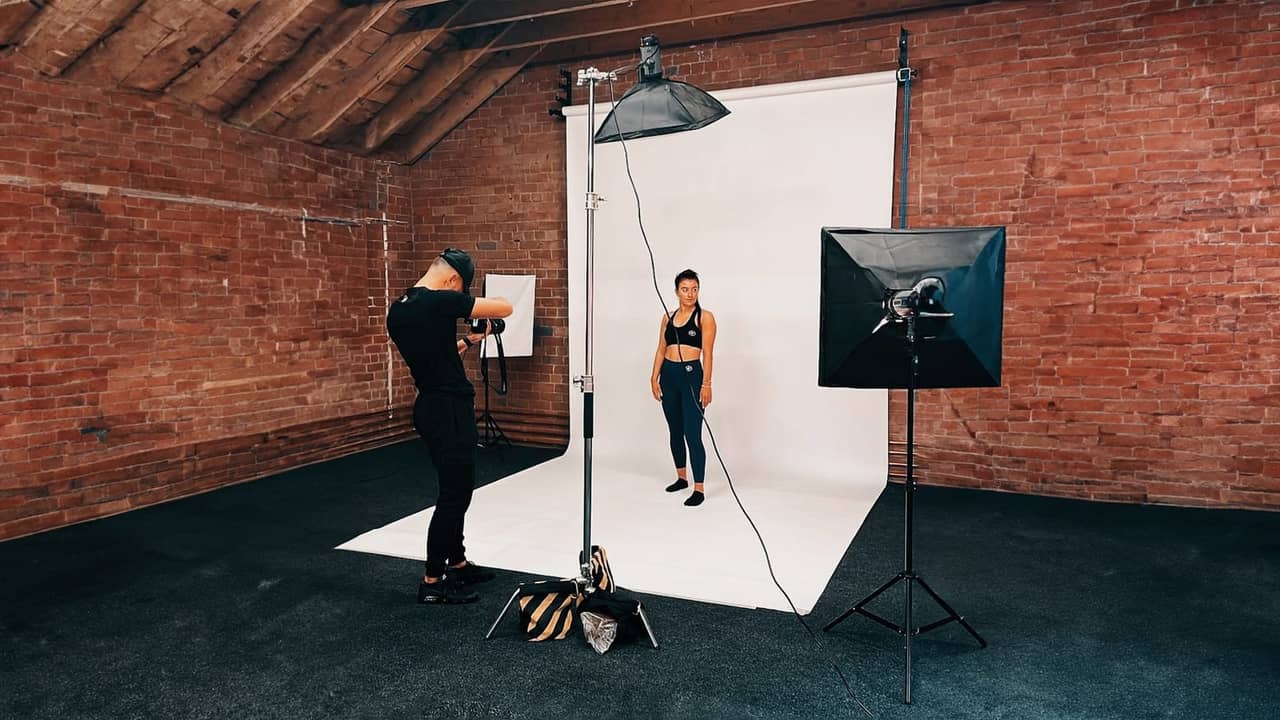
In a studio or on location with proper kit, the principle does not change, it just becomes repeatable. A large modifier gives soft shadow edges, a reflector or second source controls how deep the shadow falls, and a separate light on the background keeps you from merging into it. The advantage of controlled lighting is not that it looks dramatically different on one photo. It is that you can produce the same result for the twelfth person on a team shoot as for the first.
Background: what survives at thumbnail size
Backgrounds do one job in a headshot, which is to not compete with the face.
Clean options that work: a plain mid-grey or neutral wall, a softly out-of-focus interior with no recognisable objects, a shaded exterior with distant depth, or a studio backdrop. Mid-tones are safest because they separate from both light and dark clothing.
Things that fail at small sizes: bookshelves, which turn into visual static, windows with bright sky, foliage directly behind the head, doorframes and skirting boards running out of the shoulders, and strong vertical lines passing through the head. Office backgrounds can be excellent, but only if there is enough distance between you and the wall for it to fall out of focus. Standing with your back against a wall gives you a sharp background plus a shadow projected onto it.
One detail photographers watch obsessively: tonal separation at the edge of the hair. Dark hair against a dark background means no edge, and the compressed thumbnail loses the shape of the head entirely. Either lighten the background, add a light behind the subject to rim the hair, or move the subject away from the backdrop.
Clothing and colour, from the camera’s point of view
Cameras do not see fabric the way eyes do.
Fine repeating patterns are the main issue. Tight stripes, small checks and herringbone can interfere with the sensor’s pixel grid and produce moiré, a shimmering rainbow effect, and even where that does not happen, compression tends to turn detailed patterns into mush. Solid mid-tone colours are safer.
Pure white shirts are tricky because they become the brightest thing in frame and pull the eye down from the face. Black can lose all detail in the shadow side and merge into darker backgrounds. Mid-blues, greys, deeper greens and muted earth tones render well and flatter most skin tones.
Think about contrast relationships rather than individual colours. You want your face to be the lightest, most detailed area in the frame. If your clothing or background competes for that, the photo loses its focal point.
Beyond colour: shiny synthetic fabrics catch specular highlights and look cheap under soft light, while knitwear or a woven jacket holds detail nicely. Bring a second option so there is a choice once you see the first on camera. If you wear glasses, tilting the arms slightly downward at the ears usually kills lens reflections without the tilt being visible.
Posing and expression without the mugshot look
The corporate mugshot look comes from two things: square shoulders facing the camera, and a held expression.
Angling the body ten to thirty degrees away from the camera while turning the head back towards it narrows the shoulders and creates a more natural line. Chin forward and slightly down sounds wrong but it defines the jawline and stops the camera looking up your nose.
Expression is harder, and it is where direction matters most. A smile held on command for several seconds visibly stiffens: the mouth stays put while the eyes stop participating. Photographers get around this by shooting in short bursts around a reset, asking you to drop the expression entirely then bring it back, and talking while shooting so the expression comes from a reaction rather than an instruction.
If you are shooting yourself, mimic that. Set a self-timer burst, let your face relax completely between frames, and think about something specific rather than trying to produce "approachable". A smile that reaches the eyes is involuntary. You cannot pose it directly, you can only create the conditions for it. Keep hands out of frame unless there is a reason for them, as crossed arms read as defensive and eat the space your face should occupy.
When a phone photo is genuinely fine
It can be. If you are a sole trader, a freelancer or an early-career professional, and you can find good window light, a clean background and someone to hold the phone a couple of metres away using the rear camera at a slight zoom, you can get a perfectly respectable headshot. Far better than a cropped wedding photo or a dim selfie.
The three things that make DIY fail are predictable: holding the camera at arm’s length, which distorts facial proportions; using the front camera, which is lower quality on most handsets; and shooting in whatever light happens to be available.
Where the phone stops being adequate is consistency. The moment you need more than one person photographed, DIY breaks down. A team page where everyone was shot in a different room, at a different time of day, at a different crop looks disorganised regardless of how good any individual photo is. Clients notice the mismatch before they notice any single face. Matched headshots across a leadership page, a proposal document and a set of LinkedIn profiles signal that the organisation pays attention to detail. Mismatched ones quietly suggest the opposite.
What a headshot session actually involves
For individuals, a professional session is mostly about removing variables. Lighting is set and tested before you arrive. The background is chosen for the end use. You will be directed through body angle, head position and expression, with frames reviewed as you go so you can see what is working.
For teams, the logistics matter as much as the photography. A portable setup can be brought to your premises, with each person shot against the same background under the same lighting, so the finished set matches. Individuals typically need ten to fifteen minutes each, which means a sizeable team can be photographed in a day without pulling anyone away from work for long. New starters can be added later against the same setup.
Editing is deliberately restrained: colour and exposure matched across the set, distractions cleaned up, skin tidied without being smoothed into plastic. Files are usually supplied in a square crop suited to LinkedIn plus a wider version for websites and print.
If you want to see the broader range of commercial work this sits within, our photography services page covers the rest. And if you are weighing up headshots for yourself or for a team and want to know what it would involve, you can get a fast quote from Flexxed with no obligation attached.
Questions
Frequently Asked Questions
What size should a LinkedIn profile photo be?
LinkedIn displays the profile photo as a circle. Uploading a square image of around 1000 x 1000 pixels gives the platform plenty of detail to work with when it generates the smaller thumbnail sizes.
Can I use a photo taken on my phone for LinkedIn?
Yes, if the light is good and someone else is holding the camera. Modern phone cameras resolve plenty of detail. The usual problems are selfie-arm distortion, hard overhead light and a cluttered background rather than the sensor itself.
Should I smile in a LinkedIn headshot?
Some warmth in the expression almost always reads better than a neutral face, but a forced wide grin held for several seconds tends to look strained. A smaller smile that reaches the eyes photographs more naturally.
How often should a business update team headshots?
There is no fixed rule. Most businesses refresh when the set stops matching reality: new starters shot in a different style, a change in brand look, or photos old enough that people no longer resemble them.
What should I wear for a professional headshot?
Solid mid-tone colours in fabrics without fine patterns work best. Avoid tight stripes and small checks, which can shimmer once the image is compressed.